
Melbet App for Android, iOS and PWA in India 2026
In India, people use the Melbet app on their phones to bet on sports, play casino and table games, manage payments, claim bonuses, and set up their accounts. The app works on Android, iOS, PWA, and web browsers. Android users install it with an APK file. Apple users can either download the iOS version or add the PWA through Safari.
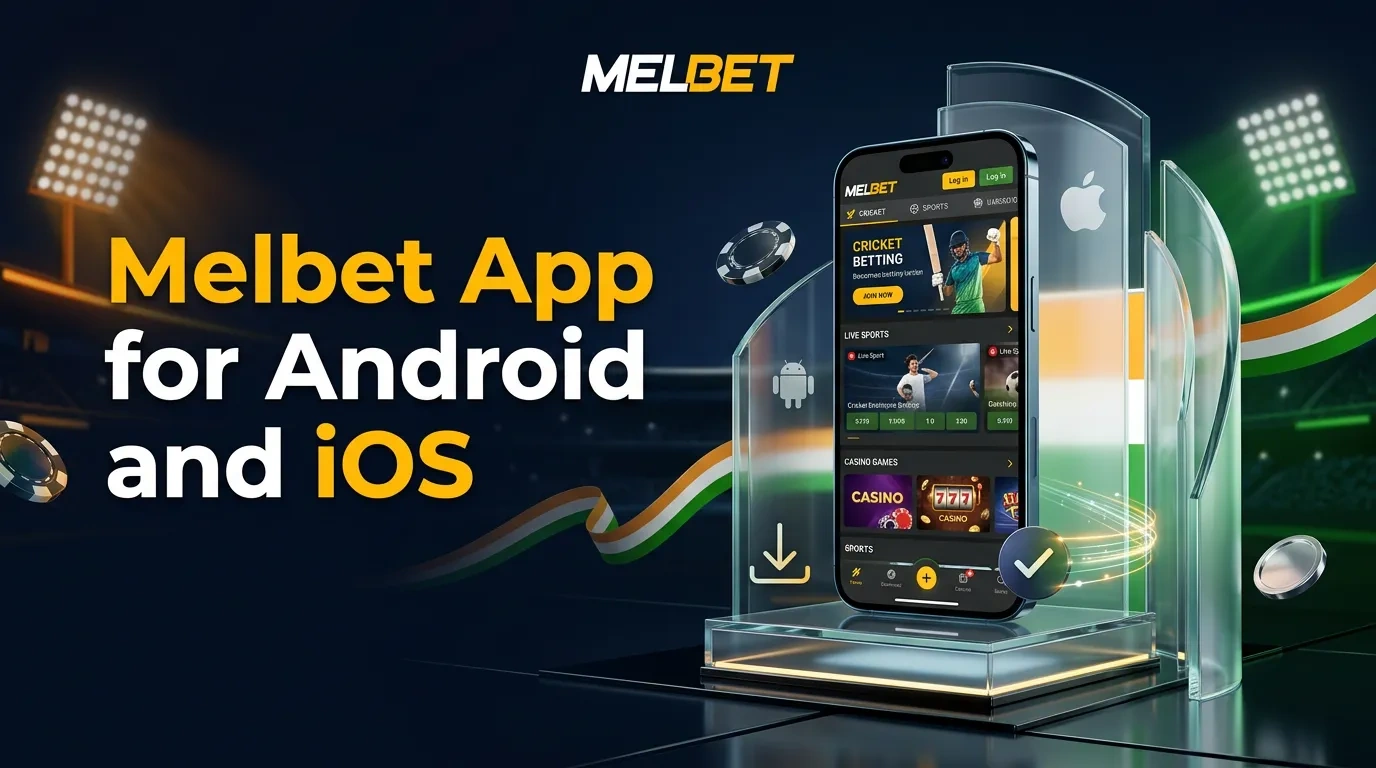
Mobile Application Facts
Push notifications inform users about settled bets, bonus changes, and new activity. The application combines account management and gambling features in one mobile interface, and users access all functions with one account regardless of login method.
| Item | Details |
|---|---|
| Cost | Free |
| Developer | Pelican Entertainment BV |
| Licence | Curaçao Gaming Authority, OGL/2024/561/0554 |
| Supported OS | Android and iOS |
| Android format | APK |
| iOS access | Current iOS option and PWA |
| APK file size | About 70 MB |
| Installed Android size | About 100 MB |
| Android requirement | Android 6 or later |
| iOS requirement | iOS 13 or later |
| Recommended free storage | 200 MB or more |
| Recommended RAM | 2 GB or more |
| Languages | English, Hindi, and other available interface languages |
| Account currency for India | ₹ |
| Support | Live chat, email, telephone, and contact form |
Interface and Account Tools
From the home screen, users reach sports and casino categories, manage payments, view available bonuses, and check their profile. Search and filter options help them find tournaments, events, slots, and providers.
The profile stores personal data, payment history, active bets, settled coupons, bonus balances, favourites, and security settings. Biometric access can speed up login on supported phones. In the mobile settings, users can check active sessions and change selected account limits.
Advantages and Limits
With the mobile app, users manage their accounts directly on their phones. They do not need to move between browser pages if they have a device, an account, the necessary access, and have finished all verification steps.
| Advantages | Limits |
|---|---|
| Android, iOS, and PWA access | Availability can depend on regional rules |
| Sports betting and casino sections in one app | Some functions require identity verification |
| Push notifications for selected account activity | APK installation needs permission for the browser source |
| Biometric login on supported phones | File size and requirements can change after updates |
| Deposits and withdrawals from the account | Some payment methods support deposits only |
| Same balance and login details across models | Bonus rules and game availability can differ by account |
Android Download
The source page displays the APK file, and the download is directed to the phone's browser. Android users install the app by downloading the APK file; Google Play is not involved in the installation process.
The Android version allows users to place sports bets and play casino games. They can also manage bonuses, deposit or withdraw funds, use chat, and adjust account settings. Logging in requires the same credentials as the website.
Android Requirements
The phone needs free storage and memory for both installation and updates.
| Requirement | Value |
|---|---|
| APK size | About 70 MB |
| Installed size | About 100 MB |
| Android version | Android 6 or later |
| Free storage | 200 MB or more recommended |
| RAM | 2 GB or more recommended |
| Processor | 1,5 GHz or faster recommended |
| Internet | Mobile data or Wi-Fi |
How to Download for Android
Go to the app section on the website to download the APK. Android may ask you to allow your browser to install it.
- 1Open the website on an Android phone. Find the app section in the menu or near the bottom of the page.
- 2Tap download, select Android, and the APK file will start downloading.
- 3Find the downloaded file. Tap the file. If the phone asks, allow Android to install.
- 4Enable installation in your browser. Complete the installation step, then return to the APK file.
- 5Start the installation process. Complete each step of the setup. After setup finishes, launch the application.
- 6Log in with an existing account, or continue to registration.
This permission allows Android to use the source you select in settings. You can remove it after you finish installing.
iOS and PWA Access
Apple users can either download the iOS app or access the PWA through Safari. Both options connect to a single account, allowing users to view the same balance, betting history, casino area, and payment options.
Users can add a PWA icon to the home screen. Tapping the icon opens the mobile service in an app window in Safari.
iOS Requirements
The iOS version works on iPhone and iPad models that meet the listed software and storage requirements.
| Requirement | Value |
|---|---|
| iOS version | iOS 13 or later |
| Free storage | 200 MB or more |
| RAM | 2 GB or more |
| Processor | Apple A10 or newer |
| Supported products | Compatible iPhone and iPad models |
| PWA browser | Safari |
How to Install on iOS
The iOS route is in the mobile app section. To install the PWA, open Safari and use the home-screen menu to access the installation option.
- 1Open the website in Safari. Find the iOS option under the app section.
- 2Choose the iOS install option, then follow the prompts on the screen.
- 3Complete the installation. Next, open the app from your screen.
- 4Open the site in Safari, tap Share, then select the PWA option from the menu.
- 5Tap Add to Home Screen. Review the icon name. Add the icon.
- 6Tap the icon on the home screen. Enter your account details to sign in.
The PWA connects to the mobile service and updates itself through the website link. It always stays current. Users do not have to download anything. It takes up less storage than an app.
App Updates
The updates introduce new account features, offer more payment methods, and adjust security settings. Developers address mobile issues by following procedures specific to Android and iOS.
- Android – open the app section, download the newest APK, and install it over the current version;
- iOS – use the current update option shown for the installed version;
- PWA – open the home-screen app with an internet connection and reload the service.
Update your login information and recovery contacts before starting an update. Reinstalling the app does not change your account or balance.
Mobile Registration
New users begin by creating an account in the app. They can register with a phone number, an email address, or through one-click sign-up. The registration form requests their country and currency. During registration, users select a bonus and can enter a promo code.
Users may register with Google, X, or Telegram. The site requests personal information during this process. Later, staff rely on these details to verify identity and complete payments.
- 1Open the application. When the screen loads, select Registration.
- 2Choose phone, email, or one-click registration. Next, provide your account details.
- 3Select India and the ₹ currency. After that, check the available offer.
- 4Enter the promo code XXXXX to receive the welcome terms, then fill out the required fields.
- 5Submit the form, confirm by phone and email, then a confirmation will appear in your account.
- 6Go to the profile page. Update security settings as preferred. Follow all verification prompts as directed.
The site requires a minimum starting amount of ₹100. New users who qualify receive a 100% bonus on their first deposit. To access the bonus, they need to place bets equal to five times the deposit amount. A package is available for the first three deposits, which includes up to 300 spins.
Sports Betting on Mobile
The sports section covers cricket, football, tennis, basketball, kabaddi, badminton, table tennis, combat sports, motorsport, esports, and other events. Users can view pre-match or live lines, add selections to the bet slip, enter a stake, and follow settlement, all on a single screen.
The site features cricket events, including ICC competitions, the IPL, various international series, T20 leagues, and domestic tournaments. Football coverage includes UEFA competitions, La Liga, Serie A, and national leagues. For tennis, the site lists ATP and WTA tours, Grand Slam events, and regional tournaments.
The app displays event statistics, scores, and live streams. Users can also view their bet history. When events occur, the odds update. Bet Constructor relies on available markets. Cash Out is available for coupons. After users confirm a bet, the bet slip presents the price.
Casino on Mobile
Players can search for a specific game or studio. The casino section includes slots, table games, crash games, jackpot games, and live dealer tables. Certain games offer a demo mode.
The mobile menu includes collections such as new games, popular games, classic slots, and selected feature groups. Players can choose from game mechanics like Megaways, roulette, blackjack, baccarat, crash, keno, and Hold and Win. The catalogue contains games from Evolution, Pragmatic Play, Playtech, Ezugi, Red Tiger, and Spinomenal.
Each game page shows the stake settings, rules, RTP, volatility, paylines, and indicates if the game is eligible for bonuses. When a player places a bet, the site uses funds from both the cash and bonus balances.
Payments in the Application
The cashier in a mobile account allows users to add money, withdraw funds, or view their transaction history. To make payments, users can choose from cards, bank transfers, e-wallets, or cryptocurrency.
| Method | Deposit Limits | Withdrawal Limits | Typical Processing Time |
|---|---|---|---|
| Google Pay | ₹500–₹50,000 | Unavailable | Instant |
| Bank transfer | ₹500–₹100,000 | ₹500–₹100,000 | Up to 5 business days |
| WhatsApp Pay | ₹300–₹50,000 | Unavailable | Instant |
| Skrill | ₹500–₹5,000,000 | ₹500–₹5,000,000 | Instant to 24 hours |
| Neteller | ₹500–₹5,000,000 | ₹500–₹5,000,000 | Instant to 24 hours |
| AirTM | ₹50–₹2,250,000 | ₹100–₹2,250,000 | Up to 24 hours |
| Cryptocurrency | ₹100–₹1,000,000 | ₹500–₹1,000,000 | 10–60 minutes |
How to Make a Deposit
To make a deposit, visit the account balance section. The cashier shows which payment methods are available based on your account and chosen currency.
- 1Sign in to the app. Next, navigate to the balance area. After that, open the cashier area.
- 2Tap Deposit to see which payment methods are available.
- 3Choose a method. Enter an amount that falls within the specified limits.
- 4Enter your payment details, then confirm the transaction.
- 5View the account balance, then look over the transaction history. Check the current payment status.
After the payment service confirms the transaction, the system updates the cash balance. Bonus funds appear in a section, and these funds still follow the promotion's terms.
How to Request a Withdrawal
Start the withdrawal process in the cashier section. You may need to complete a verification step. The account holder's details must match the payment owner's information listed in the user profile.
- 1First, open the profile, then go to the cashier and find withdrawals.
- 2Select a payout method. Check the minimum amount required. After that, find out the maximum limit allowed.
- 3Type in the amount to withdraw. Then enter your payment information.
- 4Confirm the request. Carry out identity and payment checks as needed. The account shows the results of these checks.
- 5Track each request as its status updates. Review your transaction history to view your actions. Access your account from a mobile device.
The company may ask for documents to check identity, address, or payment ownership when someone requests a payout. After the company approves the request, banks or payment services may still take more time to finish the transaction.
Mobile Website and App
Users can access their accounts on the mobile website through Safari, Chrome, or other supported browsers without needing a separate installation. The application features a dedicated app icon, utilizes model storage, and includes push notifications. Biometric access is available on compatible phones.
| Feature | Mobile App | Mobile Website |
|---|---|---|
| Installation | Required for Android or installed iOS option | No installation |
| Model storage | Uses local storage | No separate app storage |
| Login | Password and supported biometric access | Browser login |
| Push notifications | Available for selected alerts | More limited |
| Updates | APK or iOS update route | Website updates automatically |
| PWA option | Available on supported Apple models | Added from Safari |
| Account balance | Same account balance | Same account balance |
| Sports and casino | Available | Available |
Account Security
Users manage passwords, sessions, and limits in their profile. SSL encrypts account and payment data during transmission. The mobile service follows the same account protection rules as the desktop site.
Operators verify identity to confirm account ownership, process withdrawals, check age, and comply with AML requirements. Passwords, SMS codes, recovery codes, and card details should remain confidential. Download the Android app from the official app section. Avoid using third-party APK sources.
Support from the App
Support manages access, verifies accounts, processes payments, applies bonuses, and sets account limits. Users can reach the team through chat or by using the contact section in the app.
| Channel | Details | Use |
|---|---|---|
| Live chat | Available in the site and app | Fast account and payment questions |
| info-en@melbet.com | Documents, transaction details, and account requests | |
| Telephone | +44 203 807 7601 | General support requests |
| Contact form | Available on the contacts page | Written requests from registered and unregistered users |
FAQ
Is the Melbet app available for Android in India?
Android users in India can get the APK from the app section. The site needs Android 6 or later and recommends at least 200 MB of storage.
Does the Melbet app work on iPhone and iPad?
The iOS option runs on iPhones and iPads that use iOS 13 or newer. In Safari, users tap Add to Home Screen to set up the PWA.
Can I use the same account in the app and on the website?
Users enter the same login details every time. With one account, they can use the app, PWA, mobile browser, or desktop site. They have access to their ₹ balance, bet history, bonus funds, and profile settings.
Which payments are available in the mobile app?
At the cashier, users in India have several ways to pay. They may choose Google Pay, bank transfer, WhatsApp Pay, Skrill, Neteller, AirTM, or cryptocurrency. Once a transaction begins, the account displays the relevant limits.
Can I place live bets and play casino games in the app?
The application provides pre-match and live sports betting. It also features slots, table games, crash games, and live dealer tables. Available options vary by account status and region.
How do I contact support from the app?
For account or payment questions, open the chat in the menu, email info-en@melbet.com, call +44 203 807 7601, or use the form.